Why Wrist Pain from Laptop Typing Is a Real Issue for Students with Small Desks
Students often face a unique ergonomic challenge: typing on cramped desks with limited space while running through long study sessions or assignments. Laptop keyboards—compact, flat, and often immobile—can exacerbate wrist pain, especially when students can’t adjust screen or keyboard height, or add wrist support. The discomfort can lead to reduced typing speed, distraction, and even repetitive strain injuries (RSI) if ignored. Unlike office workers with spacious setups, students usually cannot afford bulky ergonomic keyboards or large desk accessories due to portability and space constraints.
Recognizing these limitations upfront is key to finding a practical solution. This article focuses on what students can realistically do to reduce wrist pain when typing on their laptop keyboards at small desks.
Related reading: How to Choose a Current-Gen Laptop with the Best Battery Life for Students Facing All-Day Campus Use
Top Three Ergonomic Adjustments for Small Desk Laptop Typing
Ergonomics isn’t just about buying the right gear—it’s about optimizing your posture and workspace within your constraints. For students with limited desk space, here are the most impactful adjustments:
- Elevate and Angle Your Laptop Strategically
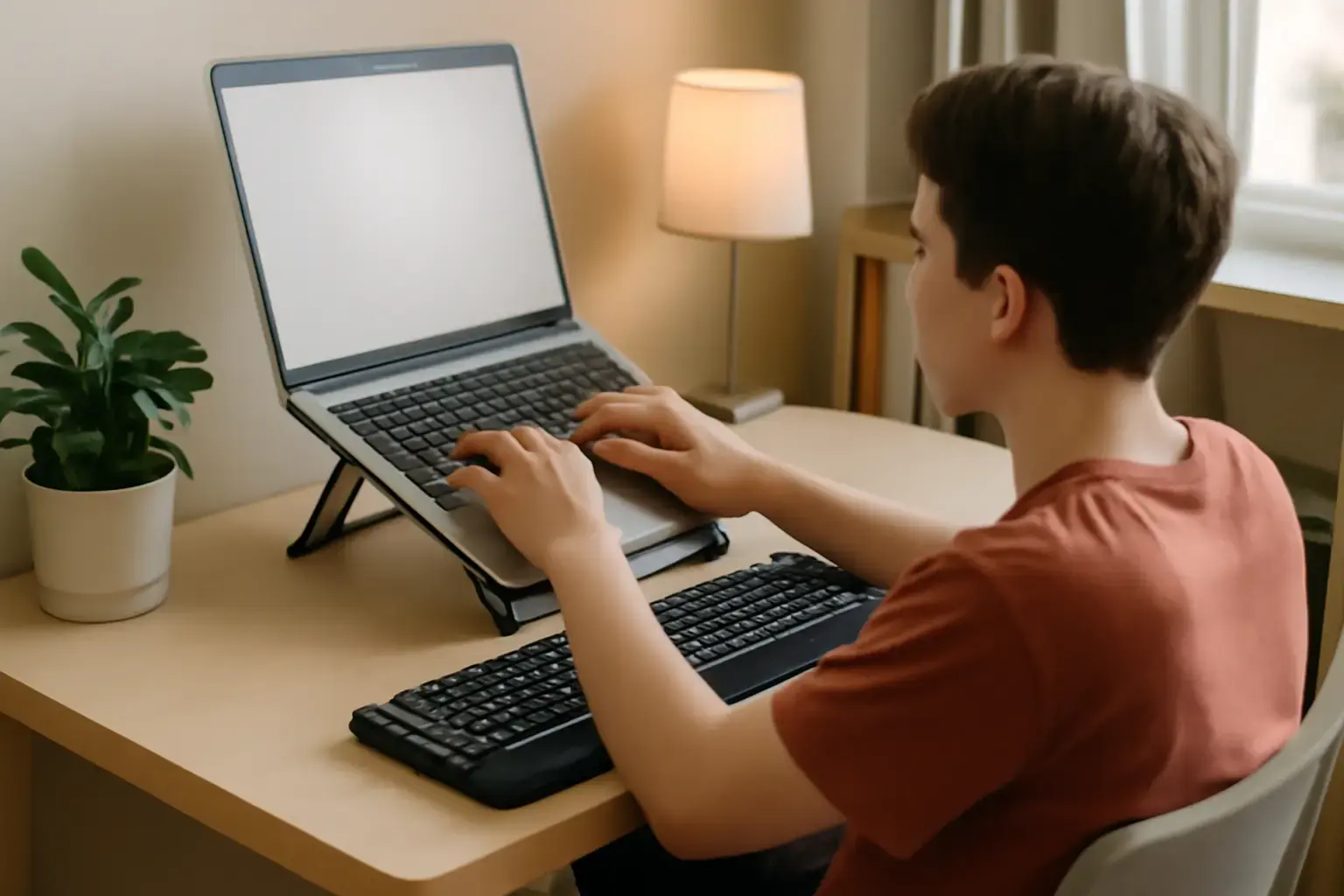
Using a slim, foldable laptop stand can raise your screen to eye level and tilt the keyboard slightly to reduce wrist extension. Look for stands with a minimal footprint that fit on small desks or clip onto the edge. This prevents hunching and keeps wrists closer to a neutral, flat position while typing. - Use a Compact External Keyboard and Wrist Rest
When possible, pair your laptop with a small, low-profile external keyboard that supports a natural wrist angle. Combine this with a thin gel or memory foam wrist rest that doesn’t take up much space. This setup reduces direct contact with hard desk edges and alleviates pressure points on your wrists. - Maintain Proper Sitting Posture and Desk Height
Even in tight spaces, chair height can often be adjusted. Your elbows should be roughly at desk height or slightly above, with forearms parallel to the floor. Avoid resting wrists on the desk while typing; instead, keep them floating or supported by a wrist rest. If desk height is fixed, consider using a cushion to adjust your seating position.
Devices and Tools That Make a Tangible Difference for Students
Beyond setup tweaks, certain devices and accessories excel in small spaces and are proven wrist-pain reducers:
See also: How to Choose a Laptop for Coding, Writing, and Remote Work 💻⌨️
- Low-Profile Compact Mechanical Keyboards: With keys positioned closer to the desk and optimized travel, these keyboards offer tactile feedback and promote a neutral wrist posture. Models like the Keychron K3 HE combine slim design and wireless options, ideal for students who want typing comfort without sacrificing portability.
- Adjustable Laptop Stands with Minimal Footprint: Brands like Nexstand or Roost offer ultralight stands that fold flat and fit in backpacks. Their design elevates the laptop screen and angles the keyboard just enough to ease wrist strain without cluttering small desks.
- Thin Gel Wrist Rests: Instead of bulky wrist pads, thin profiles slide easily under keyboards and provide needed cushioning to avoid hard desk edges pressing into wrist tendons.
- Typing Gloves or Compression Sleeves: Although not a device, these can help reduce inflammation and provide proprioceptive feedback during long typing sessions. They’re portable and don’t require desk space.
Common Mistakes Students Make That Worsen Wrist Pain
Understanding pitfalls can save you from wasting effort or money on ineffective solutions:
- Ignoring Posture in Favor of Gear: Many students buy ergonomic keyboards but neglect sitting posture or screen height, limiting relief. Ergonomic tools must complement good posture for best results.
- Choosing Bulky Accessories Unsuitable for Small Desks: Large wrist rests or full-sized ergonomic keyboards might feel great but occupy valuable desk real estate, causing awkward hand positioning or forcing you into cramped postures.
- Typing with Wrists Resting Full-Time on Hard Surfaces: This common habit increases pressure on the median nerve and tendons, often leading to pain and numbness.
- Neglecting Short Breaks and Micro-Stretches: Continuous typing without rest aggravates wrist issues. Students should incorporate quick hand stretches and pauses every 20-30 minutes.
Quick Checklist: How to Reduce Wrist Pain When Typing on Small Desks
- Position your laptop screen at or just below eye level using a compact adjustable stand.
- Use a portable, low-profile external keyboard to promote a natural wrist angle.
- Add a slim gel wrist rest that fits your small desk setup without clutter.
- Adjust your chair height to maintain straight wrists and elbows at or slightly above desk height.
- Avoid resting wrists on the desk while typing—keep them floating or supported.
- Set reminders to take micro-breaks for wrist stretches every 20 minutes.
- Consider lightweight compression gloves if discomfort persists during long typing sessions.
- Review and customize your typing style to avoid excessive force on keys and wrists.
For students exploring ergonomic keyboards suited for smaller spaces, see our guide on How to Choose a Keyboard for Students with Small Desks Needing Comfortable Typing Without Sacrificing Portability. If wrist pain is a persistent problem, our detailed tips on How to Reduce Wrist Pain from Laptop Typing: Practical Ergonomic Tips and Tools provide deeper insights.
You may also like: Best Budget Laptops for Students Needing Long Battery Life and Offline App Support in 2026
Who Should Avoid These Solutions or Seek Professional Advice?
This guidance suits most students typing on laptops in limited spaces, but those with diagnosed carpal tunnel syndrome or chronic wrist injuries should consult healthcare professionals before changing their setup. Also, if your study desk is so small that adding a stand or external keyboard is impossible, consider alternative devices like tablets with detachable keyboards or foldable laptops that offer different ergonomics.
Conclusion: Real-World Relief from Wrist Pain Starts with Smart Setup Choices
Cramped desks and laptop keyboards don’t have to mean ongoing wrist pain. For students, the best path to comfort balances minimal, portable accessories with smart posture and typing habits. Elevate your screen, introduce a compact external keyboard, and protect your wrists with slim rests and regular breaks. Avoid bulky devices that clutter your small desk and don’t address posture. With these practical adaptations, you’ll type longer, faster, and pain-free—without sacrificing study space or portability.
Ready to upgrade your student typing setup? Check out our keyboard buying guide for small desks and our hands-on ergonomic typing tips to keep you comfortable through every cram session.