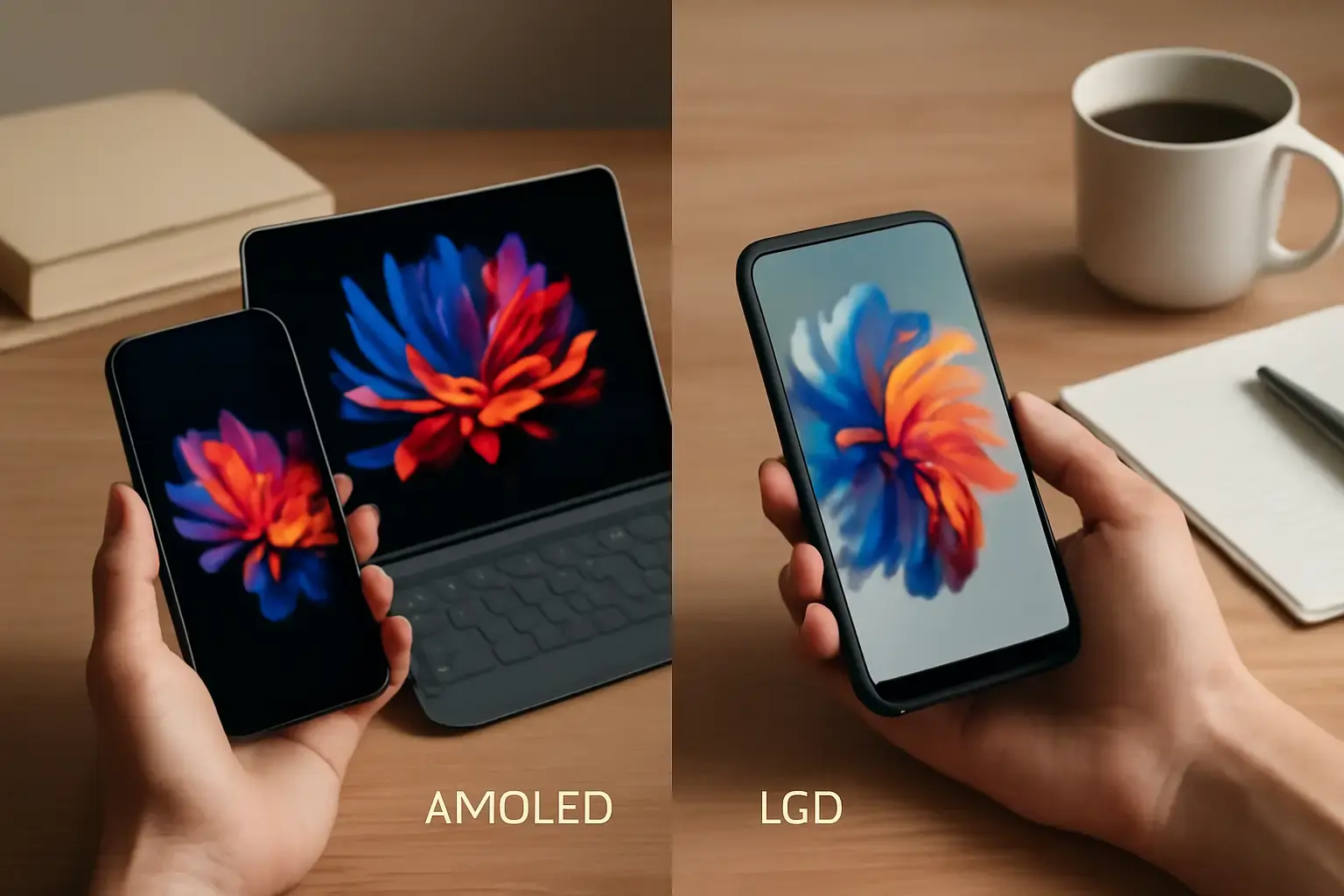
Understanding AMOLED and LCD: Not Just Marketing Buzz
When picking a new phone or tablet, the display is often the first spec that catches the eye. AMOLED and LCD are the two dominant screen technologies, each with distinct strengths and weaknesses that affect visibility, battery life, color reproduction, and durability in real-world use. Knowing what these differences mean beyond the specs sheet is crucial to avoid buyer’s remorse.
AMOLED (Active Matrix Organic Light Emitting Diode) screens light up each pixel independently, allowing for deep blacks and vivid colors. LCDs (Liquid Crystal Displays) use a backlight shining through liquid crystals to produce an image. That fundamental difference drives many of the pros and cons we’ll explore.
When AMOLED Screens Outperform LCD in Daily Use
AMOLED displays shine in scenarios where color vibrancy and contrast matter, as well as power efficiency under certain conditions:
Related reading: Samsung Galaxy S26 Ultra vs Google Pixel 8 Pro: Which Android Phone Has the Best Camera for Travelers?
- True Black and Infinite Contrast: Because AMOLED pixels turn off completely to show black, these screens offer perfect blacks and exceptional contrast ratios. This is especially noticeable in dark mode interfaces or when watching movies with a lot of dark scenes.
- Vibrant, Punchy Colors: AMOLED can display more saturated colors that many users find more attractive and engaging. For multimedia consumption like video streaming and gaming, these rich colors enhance the experience.
- Power Savings with Dark Content: When using dark themes or black backgrounds, AMOLED consumes less power because black pixels are off. This can meaningfully extend battery life for users who prefer dark mode across apps.
- Thinner, More Flexible Panels: AMOLED panels are typically thinner, which allows manufacturers to make sleeker phones and foldable devices. If portability and design matter, AMOLED often leads here.
However, AMOLED isn’t perfect. It can suffer from uneven brightness over time, potential burn-in issues with static UI elements, and sometimes less natural color accuracy out of the box. Users who prioritize longevity and consistency should consider these factors.
Why LCD Screens Still Make Sense for Everyday Users
LCD technology has been refined over decades and offers practical advantages that many users appreciate in daily use:
- Consistent Brightness and Color Stability: LCDs provide steady brightness levels and maintain color accuracy longer without degradation, making them reliable for extended use.
- Better Outdoor Visibility in Some Cases: High-brightness LCDs with good anti-reflective coatings can outperform AMOLED under direct sunlight, improving legibility for commuters and outdoor users.
- No Burn-in Risks: LCDs don’t suffer from burn-in, which can be a concern for AMOLED users who keep static apps or navigation bars visible for long periods.
- Lower Cost and More Variety: LCDs are generally cheaper and found in a broader range of devices, including budget phones and tablets, making them a solid choice for cost-conscious buyers.
One trade-off is that LCDs typically have less contrast and blacks appear more like dark gray, which may impact media consumption quality. Also, LCDs often consume more power when displaying dark content because of the backlight, which can reduce battery life in scenarios where AMOLED excels.
See also: Best VPN Services for Phones and Tablets in 2026: Security, Speed, and Ease of Use Compared
Factors That Matter Most When Choosing Between AMOLED and LCD
To make a smart choice, consider these decision points based on your real-world usage:
- Content Consumption Habits: If you primarily watch media, play games, or prefer dark mode interfaces, AMOLED’s superior contrast and color vibrancy enhance your experience.
- Battery Life Priorities: AMOLED can save battery with dark content, but if you use bright, colorful apps or keep screen brightness high, LCD’s steadier power usage might be competitive.
- Budget and Device Tier: Budget devices mostly use LCDs, which are still very good for everyday tasks like browsing, social media, and messaging. For premium devices, AMOLED is more common.
- Longevity and Burn-in Concerns: If you like to keep your phone or tablet for several years, LCD’s immunity to burn-in may be appealing, especially if your use involves static UI elements like toolbars or keyboards.
- Outdoor Usage: Consider your typical lighting environment. If you spend a lot of time outdoors, look for high-brightness LCDs or the latest AMOLED panels with improved sunlight readability.
Common Mistakes When Choosing a Display Type
Many buyers get tripped up by marketing hype or focus on specs without thinking through daily realities. Here are several pitfalls to avoid:
- Equating Higher Resolution with Better Experience: Both AMOLED and LCD displays offer Full HD and QHD resolutions. The panel type impacts perceived sharpness and contrast more than the pixel count alone.
- Ignoring Color Calibration: AMOLED displays often come factory tuned for punchy colors, which can be overly saturated. Some devices allow calibration settings—use these if you prefer natural tones.
- Overlooking User Interface Brightness: A bright, colorful UI on an AMOLED can drain battery faster than a bright LCD; understanding your UI and app themes helps tailor your choice.
- Assuming Burn-in Will Always Occur: Modern AMOLED panels have improved significantly; burn-in is mostly a concern for heavy users with static content. If you switch apps often, it’s less of an issue.
For detailed insights on how these screens affect daily use, including writing and typing experiences, check out our comparison of iPhone vs Android for Everyday Users.
You may also like: Best Phones Launched in Early 2026 for Mobile Productivity Users: Buying and Setup Guide 📱💡
Practical Checklist: Choosing AMOLED or LCD Based on Your Needs
- Identify your primary device usage: media consumption, gaming, reading, browsing, or productivity apps.
- Evaluate your environment: mostly indoors, outdoor usage, or mixed lighting conditions.
- Consider battery life preferences: do you want longer standby and moderate use cycle, or optimized battery for dark mode apps?
- Check device budgets and availability: AMOLED tends to appear in mid-to-high-end models; LCDs dominate budget and some midrange segments.
- Test screen samples if possible: visit stores to view displays side-by-side, focusing on contrast, color accuracy, and brightness under your typical lighting.
- Assess long-term use cases: if you keep devices for years, prefer LCD to avoid burn-in; if you upgrade frequently, AMOLED’s advantages often outweigh the risks.
Also, explore our guide on How to Pick a Budget Android Phone for Gaming Without Sacrificing Battery Life or Display Quality for advice on balancing display tech with performance and endurance.
Final Recommendation: Match Your Display to Your Lifestyle, Not Just Specs
For most users looking for a vibrant, visually striking experience—especially those who favor media, gaming, or dark mode themes—AMOLED is the better daily choice despite some risk of burn-in. It delivers richer colors, deeper blacks, and potential battery savings that translate into a more immersive and efficient everyday use.
In contrast, if consistency, cost-effectiveness, and longevity are your priorities—particularly if you’re budget conscious or use your device extensively outdoors—LCD screens remain a solid, practical choice that won’t let you down for routine tasks.
Ultimately, reflect on your real usage patterns and consider testing devices in person when possible. The right display technology is the one that feels most natural and reliable in your hands and fits your budget without unnecessary compromises.