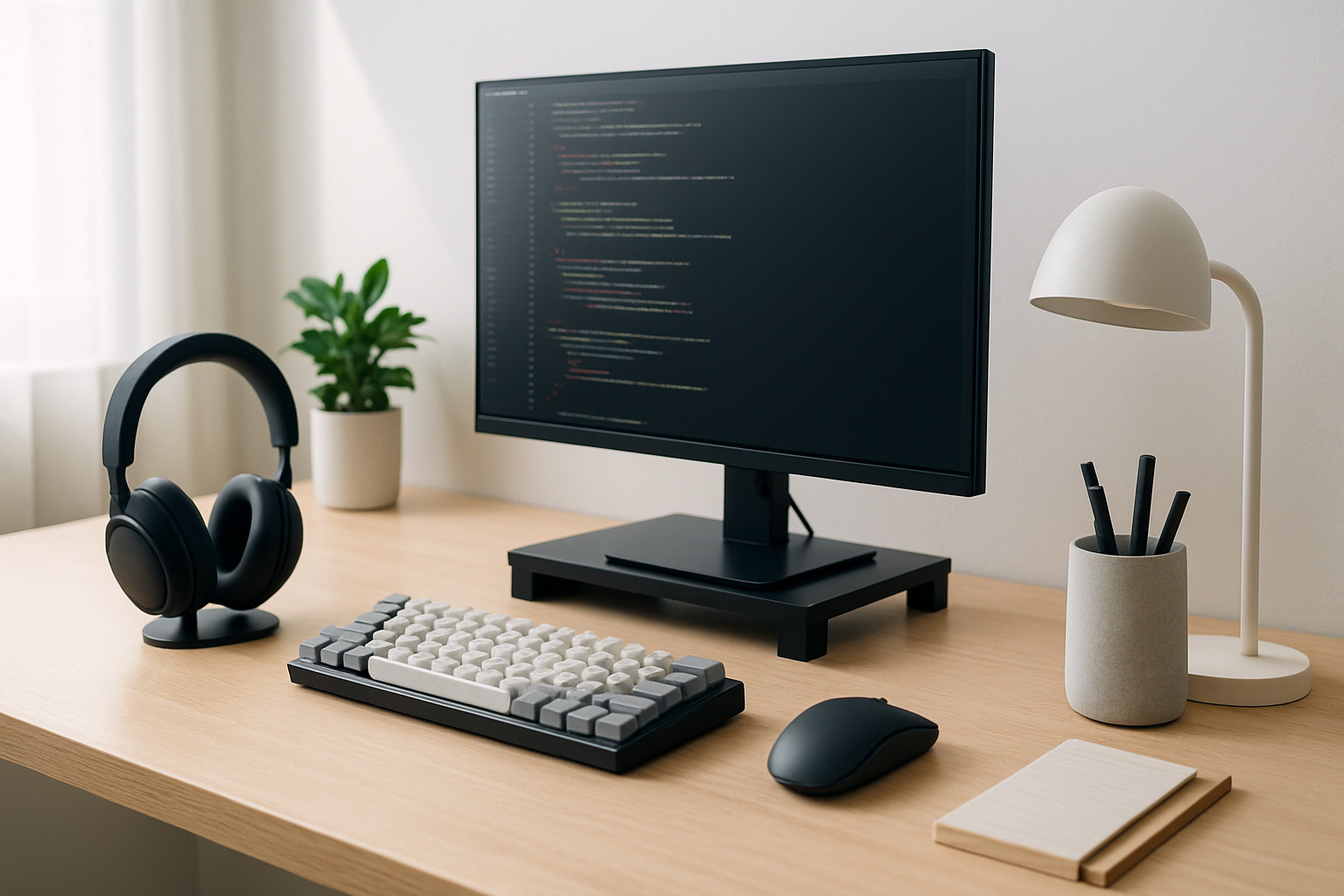
Why Desk Accessories Matter for Developers
For developers, productivity is rarely limited by raw skill alone. The real bottleneck is often focus — the ability to stay in a state of deep work long enough to solve complex problems without interruption. That’s where your physical workspace becomes just as important as your IDE or framework of choice.
A poorly set up desk quietly erodes performance. Neck strain forces you to shift constantly. A cluttered surface introduces visual distractions. Background noise breaks concentration at the worst possible moments. Over time, these small issues compound into slower progress, more bugs, and unnecessary frustration.
Desk accessories are not about aesthetics or chasing trends. The right tools create an environment that supports long, uninterrupted coding sessions. They reduce physical fatigue, eliminate friction in your workflow, and make it easier to enter — and stay in — a focused state. For developers working remotely or in hybrid setups, this becomes even more critical because you are responsible for your own environment.
The goal isn’t to build a “perfect” desk. It’s to remove obstacles between you and your work.
Desk Accessories That Actually Improve Focus (and Why They Matter)
There’s no shortage of gadgets marketed to developers, but only a handful consistently deliver real improvements. The key is understanding what problem each accessory solves and whether that problem exists in your setup.
-
Ergonomic Keyboard and Mouse
Typing is your primary interaction with the machine, so even small inefficiencies or discomfort add up quickly. Mechanical keyboards with tactile feedback can improve typing accuracy and reduce fatigue for some developers, while low-profile or split ergonomic keyboards may be better for those dealing with wrist pain.
The same applies to pointing devices. A standard mouse might be fine for short sessions, but during long coding days, an ergonomic mouse or trackball can significantly reduce strain.
Trade-off: Ergonomic devices often require an adjustment period. Don’t expect instant comfort — give it a week before deciding. -
Adjustable Laptop or Monitor Stand
If your screen sits too low, you’re forcing your neck into a downward angle for hours. That’s a fast track to chronic discomfort. Raising your display to eye level is one of the simplest and most impactful upgrades you can make.
Real-world tip: Pair a laptop stand with an external keyboard and mouse. Otherwise, you’ll fix your neck posture but compromise your wrists. -
Desk Organizer and Cable Management
Clutter isn’t just a visual issue — it increases cognitive load. When your desk is messy, your brain is constantly processing irrelevant information. A simple organizer system keeps essential tools accessible while hiding everything else.
Cable management is equally important. Tangled cables make even basic tasks annoying and break your flow more often than you realize.
Common mistake: Over-organizing. If it takes effort to access your tools, you’ve gone too far. -
Noise-Cancelling Headphones
Few things destroy focus faster than unpredictable noise. Whether it’s office chatter, traffic, or household distractions, noise-cancelling headphones create a controlled auditory environment.
Some developers prefer silence, while others rely on music or white noise. The key is consistency — your brain performs better when the environment is predictable.
Trade-off: High isolation can make you less aware of your surroundings, which may not be ideal in shared spaces. -
Adjustable Desk Lamp
Lighting has a direct impact on eye strain and alertness. Harsh overhead lighting or dim environments force your eyes to work harder, especially during long sessions.
A good desk lamp lets you control brightness and direction, reducing glare on your screen and keeping your workspace comfortable throughout the day.
Pro tip: Match lighting temperature to your workflow — cooler light for focus, warmer light for late-night sessions. -
Whiteboard or Notepad
Not every problem should be solved on-screen. Having a physical space to sketch ideas, outline logic, or jot down quick notes reduces mental overload.
It also helps you avoid context switching between apps, which is one of the biggest hidden productivity killers in development work. -
Hydration Reminder or Smart Bottle
It sounds trivial, but dehydration directly affects concentration and energy levels. During deep work sessions, it’s easy to forget basic needs.
A simple reminder system ensures you maintain consistent energy without breaking your flow. -
Footrest
Often overlooked, a footrest supports proper posture and improves circulation, especially if your chair height doesn’t perfectly match your desk.
This becomes more important the longer you sit — and developers tend to sit a lot.
How to Build a Desk Setup That Supports Deep Work
Buying the right accessories is only half the equation. How you arrange and use them determines whether they actually improve your workflow.
- Prioritize ergonomics over aesthetics: A visually appealing desk is nice, but comfort and posture should come first. If something looks good but feels wrong, it will hurt your productivity.
- Keep your primary tools within reach: Your keyboard, mouse, and frequently used items should require minimal movement. Every extra reach or adjustment adds friction.
- Reduce visual noise: Limit what’s on your desk to essentials. Decorative items are fine, but too many will distract you over time.
- Control your environment: Use headphones, lighting, and layout to create a consistent workspace that signals “focus mode” to your brain.
- Separate work and leisure zones: Even in small spaces, try to define a clear boundary. This helps you mentally switch between modes more effectively.
- Build break habits into your setup: Whether it’s a timer, a standing reminder, or simply placing your water bottle in view, your desk should encourage healthy interruptions, not endless sitting.
Real Developer Scenarios: What Actually Changes
Jonathan, a full-stack developer, initially blamed his productivity issues on distractions and workload. In reality, his setup was working against him. His laptop sat flat on the desk, causing constant neck strain, and his workspace was cluttered with cables and unused gadgets.
After switching to a monitor stand, external keyboard, and basic cable management system, the difference was immediate. Not because he worked harder, but because he removed physical discomfort and reduced visual clutter. Adding noise-cancelling headphones gave him control over his environment, which made deep work sessions significantly easier to maintain.
Priya, on the other hand, faced a different challenge. Working from a shared apartment, her biggest issue was mental overload from juggling tasks and interruptions. Instead of adding more digital tools, she introduced a small whiteboard to track daily goals and bugs.
This simple change reduced her reliance on switching between apps and helped her stay focused on one task at a time. Combined with a hydration reminder, it also improved her energy consistency throughout the day — something she hadn’t realized was affecting her performance.
These examples highlight an important point: the “best” accessories depend entirely on your bottlenecks.
Choosing the Right Accessories: What to Look For (and What to Ignore)
It’s easy to fall into the trap of buying what looks impressive rather than what solves real problems. Before adding anything to your setup, ask yourself what issue you’re trying to fix.
Use this checklist to make smarter decisions:
- Does it solve a real pain point? If you’re not currently experiencing a problem, you probably don’t need a solution.
- Will it improve long-term comfort? Short-term convenience is less important than sustained usability over hours of work.
- Is it compatible with your workflow? Some tools look great but disrupt established habits.
- Can you maintain it easily? Complicated setups often degrade over time and become more of a burden than a benefit.
- Does it reduce friction or add it? The best accessories simplify your workflow, not complicate it.
Ignore marketing claims focused on trends, aesthetics, or isolated features. Focus on how the product fits into your daily routine.
Common Mistakes Developers Make with Desk Setups
Even experienced developers often make avoidable mistakes when optimizing their workspace. These issues don’t always show up immediately but can have a significant long-term impact.
- Buying too much at once: Overloading your desk with new tools makes it harder to identify what actually works. Introduce changes gradually.
- Ignoring ergonomics: Performance gains from better posture and reduced strain far outweigh most gadget upgrades.
- Chasing trends: What works for influencers or other developers may not suit your workflow.
- Neglecting cable management: Small annoyances add up. Clean setups reduce friction in subtle but meaningful ways.
- Over-customizing: Too many tweaks can create a fragile setup that’s hard to maintain.
Final Recommendation: Build for Focus, Not for Looks
The most effective developer desk setups aren’t the ones that look impressive in photos — they’re the ones that quietly remove distractions and support long, comfortable coding sessions.
Start with the fundamentals: ergonomics, lighting, and noise control. Then address your specific bottlenecks, whether that’s clutter, discomfort, or mental overload. Avoid the temptation to over-optimize or chase trends. Instead, build a setup that feels natural to use every day.
If you make thoughtful, incremental improvements, your desk will evolve into a space that actively supports your work — not one that gets in the way of it. For more ways to optimize your workflow, explore our guides on best AI tools for developers and choosing the right keyboard type.