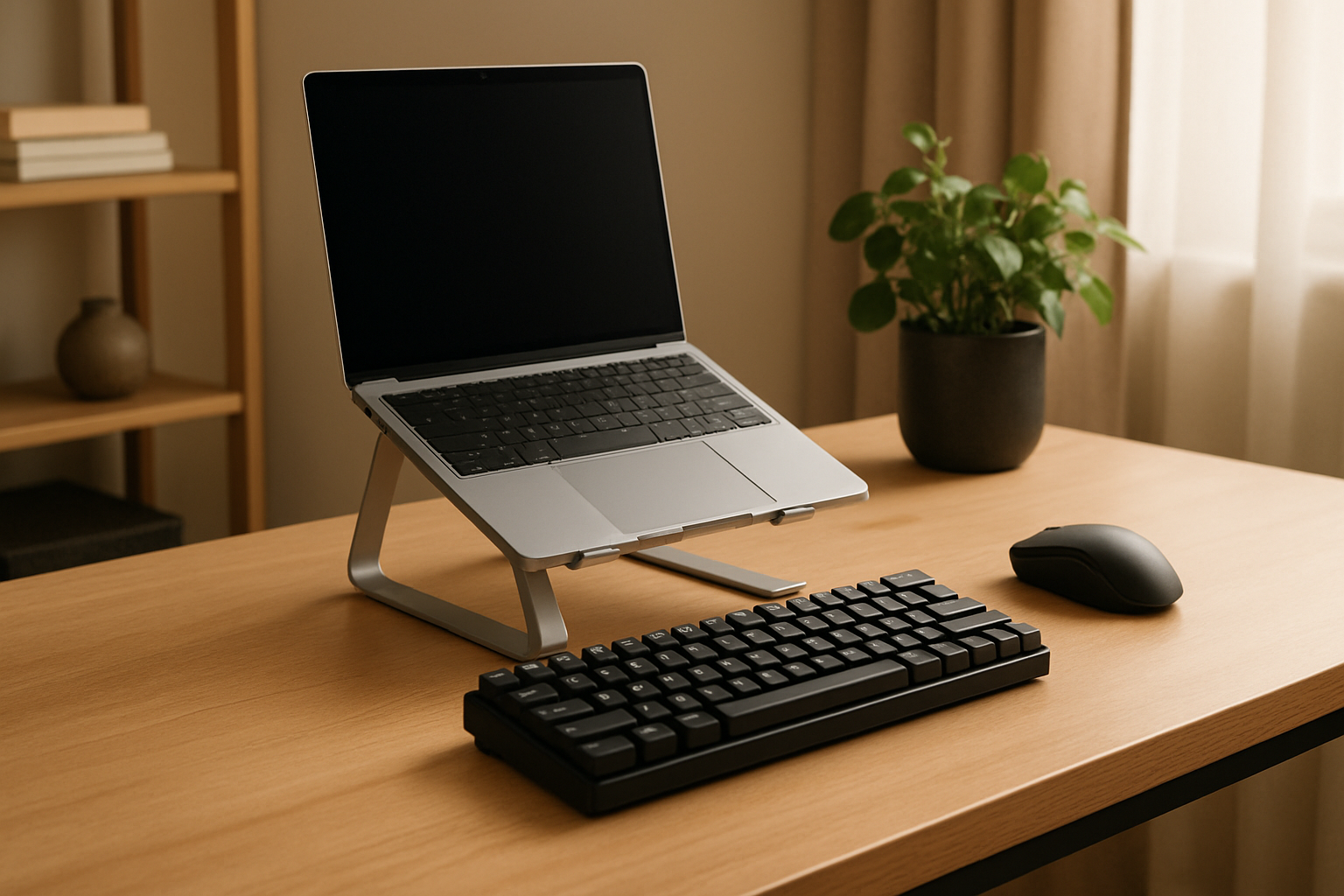
Understanding the Laptop Keyboard Experience 💻⌨️
Laptop keyboards exist for one primary reason: to make computing portable without sacrificing essential usability. They are integrated, always available, and require zero setup. That simplicity is why so many professionals default to them—especially developers, writers, and remote workers who need to open a machine and start typing immediately.
But the “good enough” nature of laptop keyboards hides an important truth: not all built-in keyboards are equal, and even the best ones come with trade-offs. Premium devices like the MacBook Pro or Dell XPS often deliver surprisingly refined typing experiences, with stable keycaps, consistent spacing, and reliable backlighting. Lower-tier laptops, however, frequently cut corners—resulting in shallow, inconsistent, or even uncomfortable keyboards.
Most modern laptops rely on scissor-switch mechanisms or ultra-low-profile designs. These prioritize thinness and portability over deep key travel. While that makes the device sleek, it can also reduce tactile satisfaction and increase fatigue during extended typing sessions.
Where laptop keyboards excel:
- Instant usability—no setup, no cables, no pairing.
- Perfect for working in constrained spaces like trains, planes, or cafés.
- Integrated design ensures consistent alignment with the trackpad and screen.
- Backlighting is often built-in, making them reliable in low-light environments.
Where they fall short:
- Limited key travel reduces comfort over long sessions.
- Fixed angle and height can lead to poor wrist posture.
- Compact layouts often compromise spacing or remove dedicated keys.
- Repairs are expensive—keyboard failure can mean servicing the entire laptop.
The key takeaway: laptop keyboards are optimized for mobility, not prolonged comfort. If your workday involves hours of typing, that distinction becomes critical.
The Advantages of External Keyboards for Remote Work ⌨️💡
External keyboards fundamentally change how you interact with your workspace. Instead of adapting your body to your device, you adapt your device to your body. That shift alone can dramatically improve comfort, productivity, and even typing accuracy.
The biggest advantage is choice. External keyboards come in a wide range of formats and technologies—from full-size mechanical boards with deep, tactile switches to slim wireless models that mimic laptop-style typing. There are also ergonomic split keyboards designed specifically to reduce wrist strain.
This flexibility allows you to tailor your setup to your exact needs—something a laptop keyboard simply cannot offer.
Why external keyboards stand out:
- Independent positioning lets you align keyboard, screen, and mouse for proper ergonomics.
- Greater key travel and tactile feedback improve typing accuracy and reduce fatigue.
- Custom layouts and programmable keys can speed up repetitive workflows.
- Durability is significantly better—quality keyboards last years without degradation.
- Easier maintenance: cleaning, replacing keycaps, or upgrading is straightforward.
Trade-offs to consider:
- Less convenient for travel—adds weight and bulk.
- Requires desk space and a stable working surface.
- Wireless models introduce battery management and occasional connectivity quirks.
- Higher upfront investment, especially for mechanical or ergonomic designs.
For anyone working long hours at a desk, the ergonomic and tactile improvements are not subtle—they are immediately noticeable. The real question is whether those benefits outweigh the loss of portability in your daily workflow.
Choosing Based on Real Work Scenarios 🤔
The right keyboard isn’t about features—it’s about context. Your daily routine should dictate your choice, not trends or aesthetics.
Frequent Traveler or Mobile Worker
If your work involves constant movement—commuting, coworking spaces, or travel—your laptop keyboard is the most practical option. Carrying additional gear introduces friction, and in many environments, you simply won’t have the space to use it effectively.
That said, not all laptops are equal. If mobility is your priority, invest in a device known for a strong keyboard experience. This is one area where spending more upfront often pays off every single day.
Dedicated Home Office Setup
If you primarily work from a desk, relying solely on a laptop keyboard is a compromise you don’t need to make. An external keyboard allows you to position your screen at eye level—using a stand or external monitor—while keeping your wrists in a neutral position.
This setup significantly reduces strain on your neck, shoulders, and wrists. Over weeks and months, that difference becomes substantial.
Hybrid Remote Work
Many professionals split their time between home and mobile work. In this case, a compact external keyboard can offer the best of both worlds. Ultra-slim wireless models or foldable keyboards provide improved typing comfort without dramatically increasing your load.
The key is balance: don’t over-optimize for one scenario at the expense of the other.
How to Build a Comfortable and Efficient Typing Setup ⚙️⌨️
Whether you stick with your laptop keyboard or switch to an external one, your overall setup matters just as much as the keyboard itself. Poor ergonomics can negate the benefits of even the best hardware.
- Raise Your Screen: If you’re using a laptop keyboard, consider a stand to bring the display to eye level. This reduces neck strain significantly.
- Separate Input Devices: Pairing an external keyboard with a proper mouse creates a more natural hand position.
- Match Keyboard Height to Your Desk: Your elbows should rest at roughly a 90-degree angle when typing.
- Experiment with Switch Types: Mechanical keyboards offer different switch profiles—some quiet and soft, others tactile or clicky. Your preference matters more than hype.
- Take Regular Breaks: Even the best setup won’t prevent fatigue if you type continuously without rest.
Small adjustments—like changing keyboard height or switching to a different layout—can have a disproportionate impact on comfort and efficiency.
Buyer Guidance: What Actually Matters When Choosing
Choosing between a laptop keyboard and an external keyboard isn’t just about preference—it’s about long-term usability. Many people make the mistake of focusing on features instead of fit.
When evaluating your options, prioritize these factors:
- Typing Duration: If you type for hours daily, comfort should outweigh portability.
- Workspace Stability: If you don’t have a consistent desk, external keyboards may become inconvenient.
- Hand Size and Typing Style: Compact layouts can feel cramped for larger hands.
- Noise Tolerance: Mechanical keyboards can be loud—consider your environment.
- Workflow Needs: Programmable keys and shortcuts can benefit developers and power users.
Also consider longevity. A good external keyboard can outlast multiple laptops, making it a worthwhile investment for professionals who type extensively.
If you’re exploring external options, the guide Best Wireless Keyboards for Home Office Productivity in 2026 is a solid starting point.
And if your decision leans toward upgrading your laptop instead, How to Choose a Laptop for Coding, Writing, and Remote Work breaks down what to look for—especially when keyboard quality is a priority.
Tablet users can also benefit from external keyboards. This guide on using keyboards with iPad and Android tablets highlights how to turn lightweight devices into serious work tools.
Common Mistakes That Lead to Poor Decisions
Many users end up with the wrong keyboard setup not because of bad products, but because of mismatched expectations.
- Choosing based on aesthetics: A minimalist keyboard might look great but feel terrible after hours of use.
- Ignoring ergonomics: Comfort issues often appear gradually, making them easy to underestimate.
- Overvaluing portability: Saving a few grams isn’t worth daily discomfort.
- Buying without testing: Typing feel is subjective—what works for others may not work for you.
- Forgetting compatibility: Layout differences (e.g., ANSI vs ISO) can affect usability.
The most expensive or popular option is rarely the best. The best choice is the one that aligns with how you actually work every day.
Final Recommendation: Prioritize Comfort Where It Matters Most
If your work is primarily desk-based, an external keyboard is one of the most impactful upgrades you can make. The improvement in ergonomics, typing comfort, and long-term health is hard to ignore. It’s not just about typing faster—it’s about reducing strain and maintaining productivity over time.
If you’re constantly on the move, your laptop keyboard remains the most practical solution. In that case, choose your laptop carefully, because the keyboard becomes a core part of your daily experience.
For hybrid users, a compact external keyboard offers a smart compromise—giving you flexibility without fully sacrificing comfort.
Ultimately, the right choice isn’t about which keyboard is “better.” It’s about which one fits your workflow, your environment, and your body. Optimize for that, and your setup will support you instead of slowing you down.