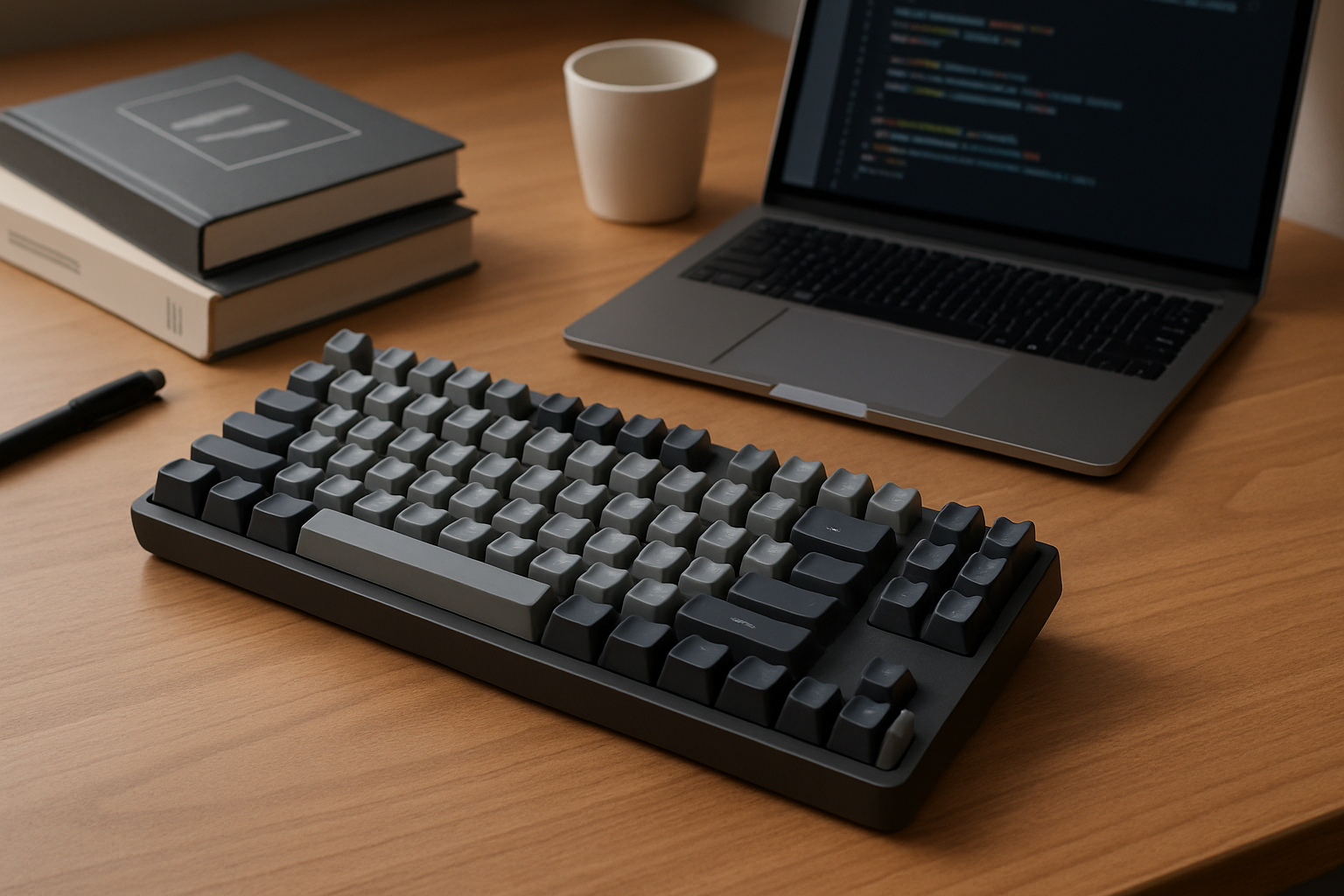
Why Choosing the Right Budget Keyboard Matters 📚⌨️
The keyboard is one of the few tools you physically interact with for hours every day. For students, it’s where essays, notes, and research come together. For developers, it’s the primary interface for building, debugging, and navigating complex systems. Choosing a budget keyboard isn’t just about saving money—it’s about avoiding friction in your daily workflow.
A poorly chosen keyboard can slow you down in subtle but cumulative ways: inconsistent key feel, uncomfortable layouts, or unreliable connectivity can break your focus. On the other hand, a well-chosen budget keyboard can feel surprisingly close to premium options, offering solid typing comfort, decent durability, and features that actually matter in real use.
The key is understanding trade-offs. Budget keyboards are not about getting everything—they’re about getting the right things for your specific needs.
Key Features That Actually Matter (and What to Ignore) ⚙️💡
When comparing budget keyboards, it’s easy to get distracted by RGB lighting, marketing terms, or brand hype. Instead, focus on the features that directly impact your daily experience.
- Typing Feel and Switch Type: This is the most important factor. Mechanical keyboards provide distinct tactile or linear feedback depending on the switch type, which many developers prefer for accuracy and rhythm. However, not all mechanical switches are equal—budget switches can feel scratchy or inconsistent. Meanwhile, high-quality membrane keyboards can still be comfortable and quiet, making them ideal for shared spaces like libraries or offices.
- Build Quality and Materials: Budget keyboards often use ABS plastic, which is fine but tends to develop shine over time. If you find a model with PBT keycaps in this price range, it’s a bonus. Also pay attention to flex—some cheaper boards bend slightly under pressure, which affects long-term comfort.
- Layout and Size: Full-size keyboards include a numpad, useful for data entry or finance-related work. But many developers and students benefit more from tenkeyless (TKL) or compact layouts, which free up desk space and allow better mouse positioning. A smaller layout can significantly improve ergonomics over long sessions.
- Connectivity Options: Wired keyboards are still the most reliable—no latency concerns, no battery anxiety. Wireless options (Bluetooth or 2.4GHz dongles) are great for portability and multi-device setups, but budget models may occasionally suffer from connection hiccups or sleep delays.
- Programmability and Shortcuts: For developers especially, the ability to remap keys or create macros can improve efficiency. Budget keyboards sometimes skip software support entirely, so check this if you rely on custom workflows.
- Compatibility: Switching between Windows, macOS, or Linux? Not all keyboards handle this gracefully. Look for dedicated OS switching or clearly labeled keycaps to avoid confusion.
What you can safely ignore in most cases: overly aggressive RGB features, marketing terms like “gaming-grade,” or minor differences in polling rates. These rarely impact productivity in a meaningful way.
Best Budget Keyboards for Students and Developers in 2026 💵⌨️
These keyboards stand out not because they are perfect, but because they strike a practical balance between cost, usability, and reliability.
- Keychron K4 V2
A strong all-rounder for mixed use. Its 96% layout keeps the numpad while reducing overall footprint. The hot-swappable version is particularly valuable—it allows you to experiment with different switches later without replacing the entire keyboard. Bluetooth support makes it ideal for switching between a laptop, tablet, and desktop. - Logitech K845 Mechanical Keyboard
A no-nonsense wired option. It doesn’t try to impress with flashy features but delivers consistent performance. The typing feel is stable, and the build quality is above average for its category. Ideal for developers who just want a dependable keyboard that works every time. - Redragon K552 Kumara
One of the most accessible entry points into mechanical keyboards. It’s compact, durable, and offers satisfying tactile feedback. However, it can be loud, and stabilizers may feel less refined. Best suited for personal spaces where noise isn’t an issue. - Microsoft Bluetooth Keyboard
A solid choice if you prefer quiet typing and clean aesthetics. It lacks mechanical switches but excels in simplicity and battery efficiency. Great for students working in shared environments or anyone who values silence over tactile feedback. - Anne Pro 2
Compact, highly customizable, and popular among developers who value portability. The 60% layout requires an adjustment period, especially if you rely on arrow keys or function rows. Once mastered, it’s one of the most efficient setups for minimalist desks.
Understanding Trade-offs: What You Gain and What You Give Up 👩💻👨💻
No budget keyboard is perfect. The goal is to choose one where the compromises don’t affect your daily work.
- What You Gain:
- Access to mechanical typing without premium pricing.
- Flexible layouts that fit small desks or mobile setups.
- Decent feature sets, including wireless options and basic programmability.
- Good-enough durability for everyday use.
- What You Give Up:
- Refined stabilizers and perfectly consistent key feel.
- Premium materials like aluminum frames or high-end keycaps.
- Advanced software ecosystems for deep customization.
- Long-term durability compared to high-end boards.
For example, a cheaper mechanical keyboard may feel great at first but develop minor inconsistencies over time. That doesn’t make it a bad choice—it just means you should set realistic expectations.
Real-World Use Cases: Choosing Based on Your Workflow 💻📝
Instead of asking “what’s the best keyboard,” ask “what fits my daily routine?”
Students on the move:
If you’re constantly switching between lectures, libraries, and home, portability matters more than anything. A compact wireless keyboard like the Anne Pro 2 or Microsoft Bluetooth Keyboard makes more sense than a bulky full-size model. Quiet keys are also essential in shared environments.
Developers working long hours:
Consistency and comfort take priority. A wired mechanical keyboard like the Logitech K845 reduces potential distractions from connectivity issues. Tactile switches can help reduce typing errors, especially during extended coding sessions.
Hybrid users (study + coding + general use):
Flexibility becomes key. The Keychron K4 V2 stands out because it adapts to multiple scenarios—wired for stability, wireless for convenience, and customizable switches for evolving preferences.
Minimalist setups:
If desk space is limited, smaller layouts are a major upgrade. A 60% or 75% keyboard can significantly improve mouse ergonomics, which matters more than most people expect—especially for developers using multiple monitors.
Common Buying Mistakes (and How to Avoid Them) ⚠️
Many people end up replacing their keyboard within months—not because it broke, but because it didn’t fit their workflow. Avoid these common pitfalls:
- Choosing based on trends: Just because a 60% keyboard is popular doesn’t mean it’s right for you. If you rely on function keys daily, it will slow you down.
- Ignoring noise levels: Clicky switches might feel satisfying, but they can quickly become distracting in shared spaces or during late-night sessions.
- Overvaluing aesthetics: RGB lighting looks great in photos but has little impact on productivity. Prioritize comfort and layout instead.
- Skipping compatibility checks: Some keyboards handle macOS shortcuts poorly or lack proper key labeling. This becomes frustrating over time.
- Not thinking long-term: A slightly better-built keyboard often lasts longer and feels better over time, even within the budget category.
Final Recommendation: How to Choose Smart and Avoid Regret 💡⌨️
The best budget keyboard is not the one with the most features—it’s the one that quietly supports your work without getting in the way. Focus first on typing comfort, then layout, then connectivity. Everything else is secondary.
If you want a safe, flexible choice, go with something like the Keychron K4 V2. If you prefer simplicity and reliability, the Logitech K845 is hard to beat. For tight budgets, the Redragon K552 remains a practical entry point. And if portability or silence matters most, wireless membrane options still have a strong place.
If your budget can stretch slightly, it’s worth exploring options like the best mechanical keyboards under $150 for developers, where build quality and consistency improve noticeably.
Ultimately, the smartest decision is the one aligned with how you actually work. Choose for your daily reality—not for specs, trends, or aesthetics—and your keyboard will remain a reliable tool rather than a constant compromise.
Practical Takeaways
The best budget keyboard becomes obvious when it aligns with your real usage, not just its specification sheet. Think about where you type, how long you type, and what frustrates you most in your current setup.
Common Mistakes to Avoid
Choosing the right keyboard is less about chasing features and more about avoiding mismatches.
- Check workflow fit before anything else
- Verify compatibility across your devices
- Prioritize long-term comfort over short-term impressions