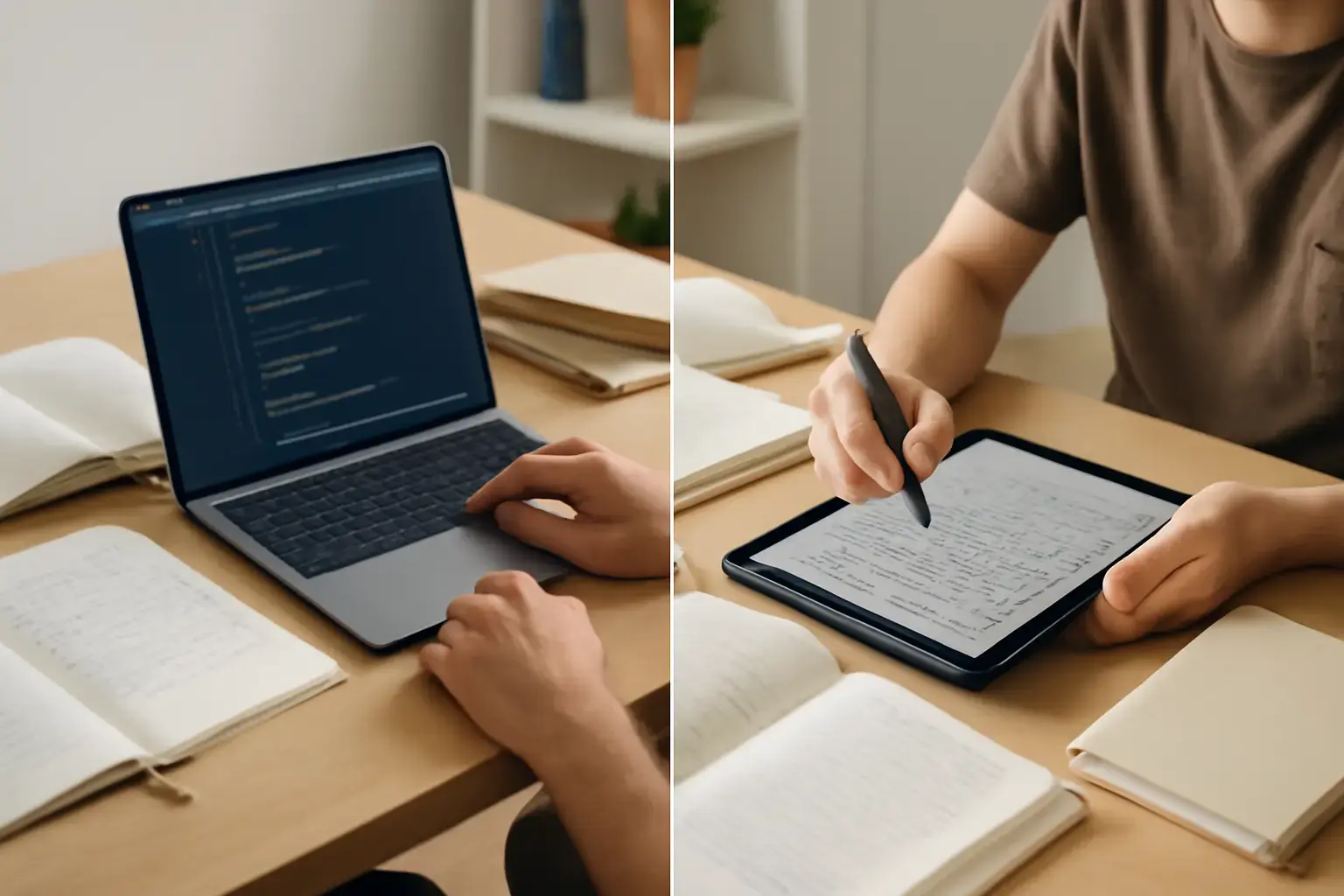
Why Students Need to Choose Wisely Between Laptops and Tablets in 2026
Budget-conscious students face a tough choice: should they invest in a current-generation laptop or opt for a tablet that promises portability and ease of use? The right device must juggle note-taking, coding assignments, and media consumption comfortably—without overspending. This isn’t just a tech specs showdown; real-world usability, ecosystem support, and workflow compatibility are critical.
Key Considerations for Note-Taking: Precision, Speed, and Software
Note-taking is a primary task for many students. While tablets, particularly iPads and some Android models, offer touchscreens and styluses that simulate handwriting, laptops provide physical keyboards and more robust typing experiences. However, the latest 2026 tablets have improved keyboard accessories and apps, bridging some gaps.
- Tablets: The Apple iPad Air (5th gen) and Samsung Galaxy Tab S9 come with precision styluses and note apps designed to convert handwriting to text. These are excellent for drawing diagrams or annotating PDFs. But typing extensive notes is still best served with a quality keyboard attachment, adding to cost and bulk.
- Laptops: Devices like the Dell Inspiron 14 5000 or Acer Swift 3 offer built-in keyboards that excel in long-form typing, ideal for dense note-taking or coding. Laptops also run full desktop-class note-taking apps (OneNote, Notion, Microsoft Word) more smoothly, with better multitasking.
For students who prefer handwritten notes with occasional typing, a tablet with a good stylus and detachable keyboard is sufficient. But those who must type quickly and accurately for coding or essay writing will find laptops more practical.
Coding on a Budget: Desktop Power vs Mobile Convenience
Coding demands an environment that supports IDEs, terminal access, compilers, and multitasking. Here, laptops generally maintain superiority thanks to their full operating systems (Windows, macOS, Linux).
Related reading: Best Android Tablets for Casual Gaming and Media in 2026: Performance and Battery Life Compared
- Laptops: Budget laptops like the Lenovo IdeaPad 3 or the Apple M1 MacBook Air offer solid performance for programming languages, support for IDEs like Visual Studio Code or JetBrains tools, and the ability to install various development environments. They handle multitasking with multiple windows and terminals better, crucial for debugging and compiling.
- Tablets: Tablets with ARM-based chips have improved but still face limitations. While apps like Code Editor or GitHub Codespaces on iPadOS provide some coding capabilities, they can’t fully replace a laptop’s flexibility, especially for compiling or running heavier local workloads.
For beginner coding or scripting on the go, a tablet can suffice, but for any serious development work, especially involving multi-file projects or non-web languages, a laptop is worth the investment.
Media Consumption and Portability: Balancing Screen Quality and Battery Life
Both laptops and tablets offer multimedia use, but each has distinct trade-offs regarding portability, screen size, and battery life.
- Tablets: Current-gen tablets like the iPad Pro 11" or Samsung Galaxy Tab S9 feature vibrant OLED or Liquid Retina displays, better suited for watching videos, streaming lectures, or reading ebooks. Their slim, lightweight design makes them excellent for carrying between classes or using in tight spaces. Battery life often exceeds that of budget laptops, supporting long campus days without charging.
- Laptops: Budget laptops usually have larger screens—14" or 15.6"—which benefit multitasking and coding but add bulk. Their displays may not match tablets for brightness or color accuracy at this price point. Battery life can vary widely; models like the MacBook Air M2 push endurance high, but many Windows laptops struggle to last beyond 6-8 hours under load.
If media consumption, portability, and battery life top your needs, tablets have an edge. However, if you want a larger workspace and multitasking ease, laptops still hold more ground.
Common Buying Mistakes and What Most Students Get Wrong
Many students end up overspending on flashy tablets with limited keyboard accessories or underpowered laptops that struggle with coding tasks. Here’s where buyers often falter:
See also: Top Current-Gen Tablets for Mobile Video Editing in 2026: Apple iPad Pro vs Android Alternatives
- Ignoring ecosystem fit: Choosing a tablet without considering the software ecosystem can limit app availability. For instance, Android tablets may lack optimized apps for note-taking or coding compared to iPadOS or Windows laptops.
- Skipping keyboard accessories: Tablets without good keyboards turn typing into a frustrating experience. Beware of cheap keyboard covers that damage productivity.
- Choosing storage and RAM poorly: Budget devices often skimp here, leading to slow performance, laggy multitasking, and cramped storage, which can choke productivity over the semester.
- Overlooking repairability and longevity: Some tablets are hard to repair or upgrade, leading to early replacement costs. Budget laptops with easy RAM or SSD upgrades offer better long-term value.
A good rule is to prioritize devices with at least 8GB RAM and 256GB storage, factor in a reliable keyboard, and ensure software compatibility with your course tools.
Practical Recommendations: What Should Budget-Conscious Students Buy in 2026?
- For note-taking and media focus, moderate coding: Apple iPad Air (5th gen) with Magic Keyboard or Samsung Galaxy Tab S9 with Book Cover Keyboard. These offer excellent displays, long battery life, and solid stylus support for handwritten notes and annotations.
- For balanced note-taking and serious coding on a budget: Lenovo IdeaPad 3, Acer Swift 3, or Apple MacBook Air M1 (if you can stretch budget). These laptops provide full desktop OS environments and comfortable keyboards suitable for coding and writing.
- Best of both worlds but higher cost: Microsoft Surface Pro 9 or iPad Pro with keyboard + trackpad combo. These tablets run desktop-class Windows or iPadOS apps with laptop-grade keyboards and ports for productivity. Consider if budget permits.
For more on tablets vs laptops for students, check our detailed comparison here. Also explore tablet options optimized for work and entertainment here and note the pros and cons of iPad vs Android tablets here.
Final Recommendation: Match Your Device to Your Study Style and Budget
In 2026, a budget student device is a compromise between usability and cost. If your focus is heavy typing and coding, a laptop is usually the smarter buy—especially if you can prioritize RAM and storage. Tablets excel in portability and note-taking with stylus support but require extra investment in keyboards and sometimes fall short for advanced coding.
Assess your course demands and daily habits carefully. Don’t be swayed by the latest flashy tablet alone if you need serious multitasking and code compilation. Conversely, don’t spend over budget on a laptop if your needs skew more casual and media centric. The best choice is the one that fits your real-world workflow and lasts through your academic term without frustration or extra costs.